We use privacy-conscious Google Analytics only if you allow it. We never send guest names, emails, phone numbers, wedding names, or RSVP details. See our privacy policy.
Your wedding website should make planning easier, not harder.
Exploring Joy, Zola, The Knot or RSVPify? See how MapleVow brings beautiful wedding websites, guest RSVPs and planning tools together for Canadian couples.
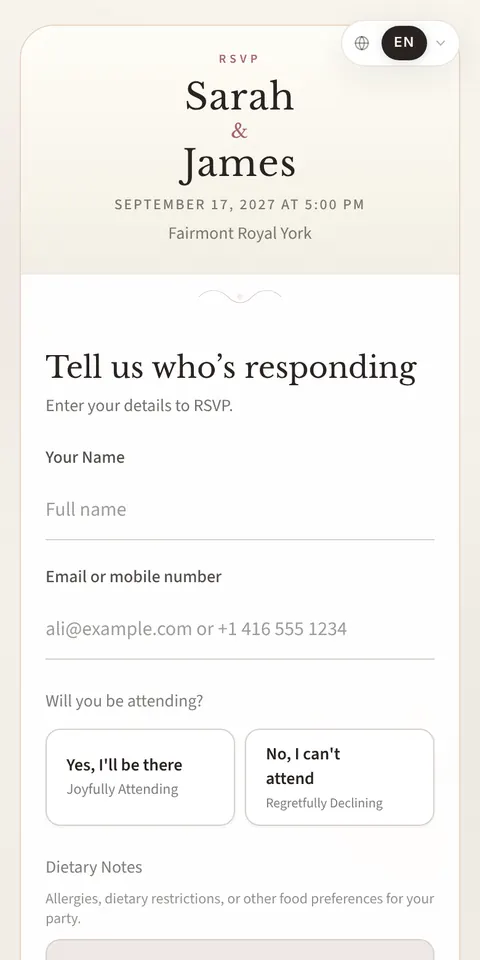
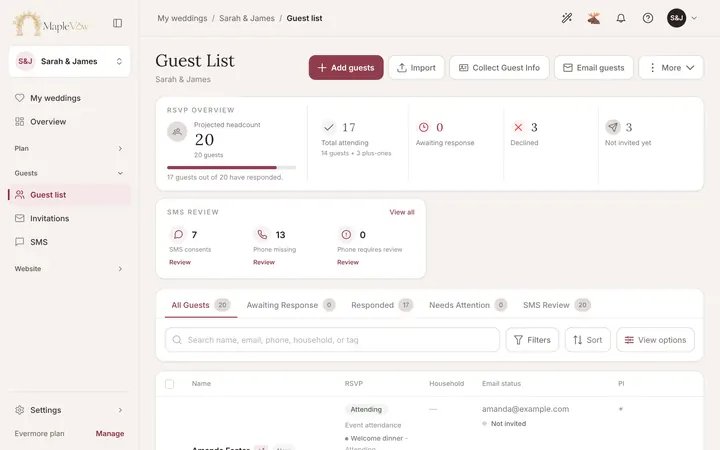
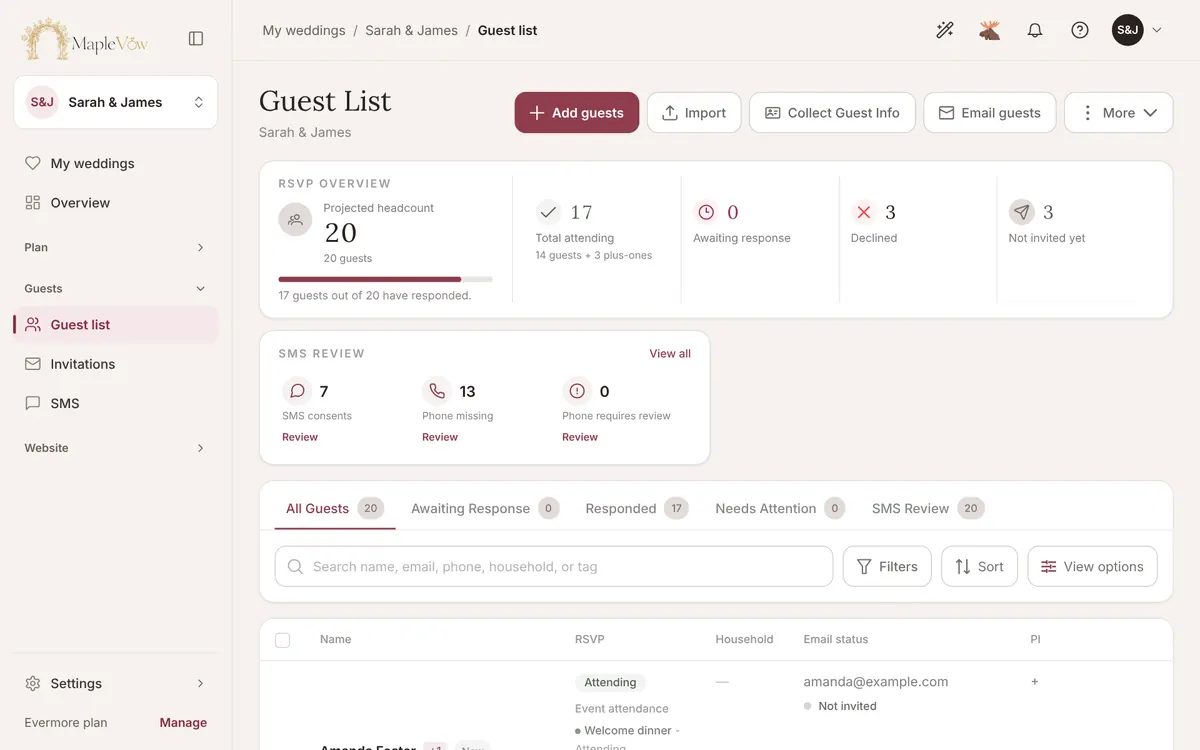
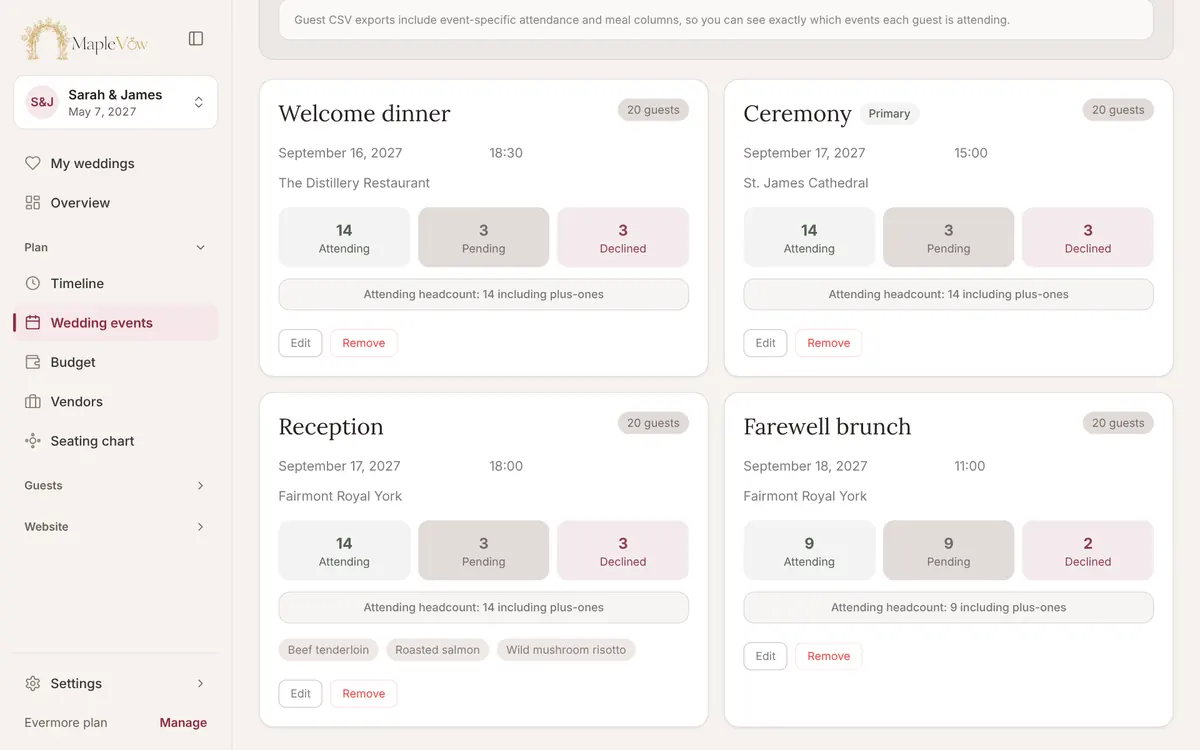
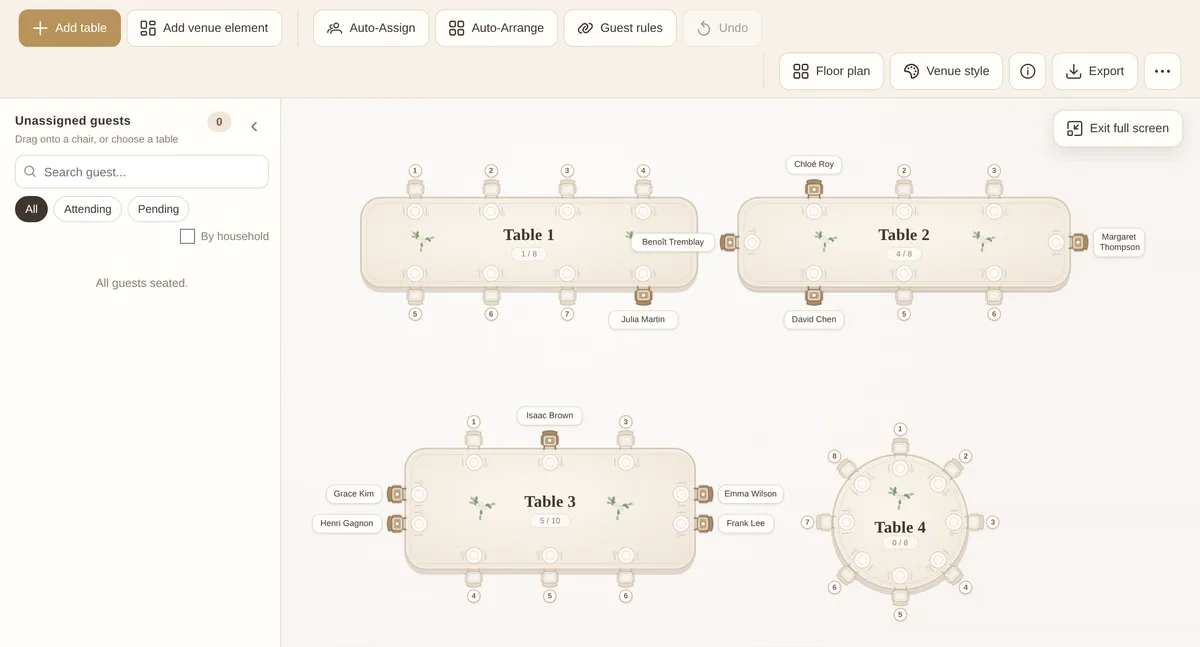
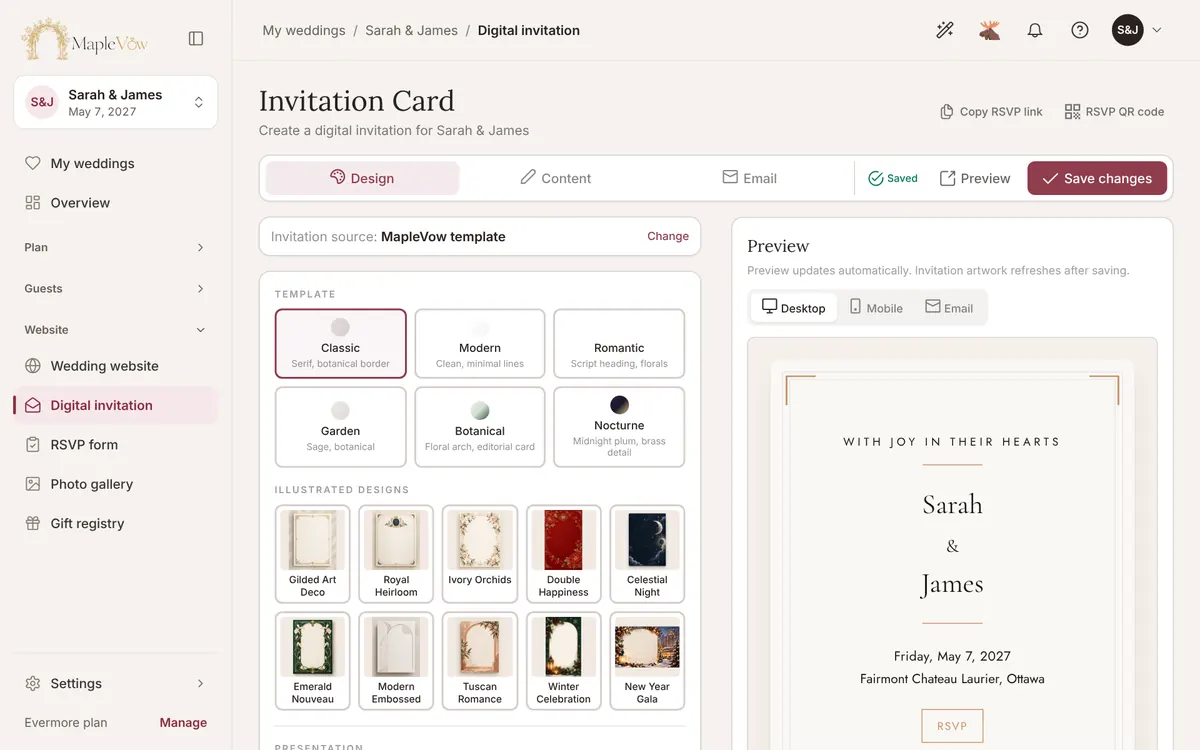
Real MapleVow screens: the demo wedding website, its RSVP form and the guest list.
Already Considering Another Wedding Website?
Every platform has its strengths. Choose one to see what it offers and how MapleVow compares.
MapleVow vs Joy (WithJoy)
MapleVow
Joy (WithJoy)
Best for
MapleVow: Couples in Canada who want the website, RSVPs and planning tools in one place
Joy: Couples who want a free website and app, with US payment options for cash funds
Canadian focus
MapleVow: Built in Toronto: CAD prices, Interac e-Transfer gift details, Canadian vendors and hosting
Joy: A US platform; nothing Canada-specific on the pages we checked
Pricing
MapleVow: Free Promise plan for up to 100 guests; paid plans from $29, paid once
Joy: Free; paid extras such as premium designs and text messaging
Wedding website
MapleVow: 20 designs, 19 fonts and 17 sections you can arrange
Joy: Free website with a range of designs
RSVPs & guest list
MapleVow: Households, tags, meal choices, CSV import and a seating chart
Joy: RSVPs for multiple events, seating chart and email reminders
Guest languages
MapleVow: English, Canadian French and Simplified Chinese built in
Joy: A limited set of interface languages; you translate pages yourself
Registry & planning
MapleVow: Universal registry, budget tracker and wedding timeline
Joy: Universal registry and cash funds; card fees apply
Best reason to consider MapleVowGuest pages ready in English, French and Chinese, CAD pricing and Interac e-Transfer gift details, made for weddings in Canada.
Free Promise plan for up to 100 guests. Paid plans from $29, a one-time payment per wedding in CAD.
Free website and RSVPs; paid extras include some premium designs and text messaging.
Free website; custom domain from US$17.99; paper invitations sold separately.
Free website; custom domain US$19.99 for one year.
Personal events: Free up to 100 guests, Gold US$10 a month (300 guests), Platinum US$15 a month (500 guests), or US$72 and US$108 a year. Business plans are priced separately.
Website customization
Offered:20 designs (9 on every plan), 19 fonts, 6 palettes or your own colours, and 17 sections to show, hide and reorder.
Offered:Free website with a range of designs.
Offered:Free website with designs that match Zola invitations.
Offered:Free website with a range of designs.
Offered:Event pages built around RSVPs and registration.
Invitations & RSVPs
Offered:Digital invitation and RSVP by link or QR code. Guests reply without an account or app.
Offered:Online RSVP from the website, plus save-the-dates and invitations.
Offered:Online RSVP without a guest account; guests must be on your guest list.
Offered:Online RSVP, open to anyone with the link or only to guests on your list.
Offered:Detailed RSVP and registration forms, with check-in.
Multiple events & guest groups
Offered:Separate RSVPs, guests and meals per event on every plan. Group guests by household and tags.
Offered:RSVPs for multiple events.
Offered:RSVPs for multiple events; guests reply to the events they are invited to.
Offered:Invite guests to as many events as you like and track RSVPs per event.
Offered:Multiple events in one RSVP.
Languages & localization
Offered:Guest pages, RSVP form and guest emails in English, Canadian French and Simplified Chinese.
Offered with limits, fees or a paid plan:A limited set of interface languages; you duplicate pages and translate them yourself.
Not confirmed on their public pages:Not listed on the pages we checked.
Not confirmed on their public pages:Not listed on the pages we checked.
Offered with limits, fees or a paid plan:Many interface languages; you supply your own translations.
Seating & meal planning
Offered:Seating chart with meal counts on every plan. Floor plans drawn to scale on Evermore.
Offered:Seating chart built from the guest list, with meal counts.
Offered:Drag-and-drop seating chart built from the guest list, for each event.
Not confirmed on their public pages:Guest list manager and printable seating chart templates. As of our review, we could not verify a built-in interactive seating chart builder.
Offered with limits, fees or a paid plan:Drag-and-drop seating chart builder; check which plan includes it.
Guest messages & reminders
Offered:Email invitations, confirmations and follow-ups. SMS invitations and reminders on every plan.
Offered with limits, fees or a paid plan:Free email messages and RSVP reminders; text messages need paid Messaging Plus.
Offered:Email or text guests a link, and send RSVP reminders.
Not confirmed on their public pages:Not listed on the pages we checked.
Offered with limits, fees or a paid plan:Confirmation emails and automated event reminders; check which plan includes them.
Registry & payment options
Offered:Universal registry: link any store, add your own gifts and show Interac e-Transfer details. Guests pay you directly, with no MapleVow fee.
Offered with limits, fees or a paid plan:Universal registry and cash funds; guests pay by card, Venmo, PayPal or Cash App, and card fees apply.
Offered with limits, fees or a paid plan:Zola store, cash and honeymoon funds. Credit-card cash gifts generally have a 2.5% fee, with fee-free options and promotions in some cases. Zola-sold products ship only within the US, and cash fund transfers need a US checking account.
Offered with limits, fees or a paid plan:Universal registry and cash fund; guests paying by card pay a 2.5% fee.
Not confirmed on their public pages:Not listed on the pages we checked.
Photo sharing & guestbook
Offered with limits, fees or a paid plan:Guests upload photos by QR code in their browser, no app, on Evermore. Private voice and video guestbook on Evermore.
Offered:Shared photo albums guests upload to by link or QR code, without an account.
Not confirmed on their public pages:Not listed on the pages we checked.
Not confirmed on their public pages:Not listed on the pages we checked.
Not confirmed on their public pages:Not listed on the pages we checked.
Data hosting & privacy
Offered:Hosted on Canadian servers, with privacy practices designed with PIPEDA in mind. No ads or guest-list resale.
Not confirmed on their public pages:Not covered in our review. See Joy’s privacy policy.
Not confirmed on their public pages:Not covered in our review. See Zola’s privacy policy.
Not confirmed on their public pages:Not covered in our review. See The Knot’s privacy policy.
Not confirmed on their public pages:Not covered in our review. See RSVPify’s privacy policy.
Offered:
Offered
Offered with limits, fees or a paid plan:
Offered with limits, fees or a paid plan
Not confirmed on their public pages:
Not confirmed on their public pages
The best choice depends on what matters most to you. Here is where each platform stands out, and when MapleVow may be worth considering for a wedding in Canada.
Joy
Joy vs. MapleVow: Which Wedding Website Fits Your Plans?
Joy is a popular free US wedding platform with a website, RSVPs, a registry, an app and shared photo albums. Plenty of couples are happy with it.
What Joy does well
A free wedding website, RSVP and registry
Shared photo albums guests upload to by link or QR code
Free email messages and RSVP reminders
Where MapleVow is a meaningful alternative
Canadian localization is the biggest difference. On Joy, a bilingual website means duplicating pages and translating them yourself, within a limited set of interface languages. MapleVow’s guest pages, RSVP form and guest emails already come in English, Canadian French and Simplified Chinese, and guests switch whenever they like. Prices are in Canadian dollars, cash gifts can use Interac e-Transfer details with no MapleVow fee, and guest data is hosted in Canada.
Choose MapleVow if
Some of your guests read French or Chinese
You want CAD pricing and Interac e-Transfer gift details
You want seating, budget and timeline next to your RSVPs
Choose Joy if
You want a free US platform and your guests are happy to give cash gifts by card, Venmo, PayPal or Cash App.
Zola vs. MapleVow: US Wedding Tools or a Canada-Focused Experience?
Zola is a US wedding company known for its registry store, free wedding website, guest list and invitations that match the website.
What Zola does well
A large registry store with cash funds
Website, guest list and seating chart that share one list
Free RSVP reminders and invitations that match your website
Where MapleVow is a meaningful alternative
Look closely at the registry. Zola ships the products it sells only within the US, moving cash fund money to a bank needs a US checking account, and cash gifts paid by credit card generally carry a 2.5% fee. Gifts from other stores you link follow those stores’ shipping policies. MapleVow links registries at any store, including Canadian ones, lets you add your own gift ideas, and shows Interac e-Transfer details so guests can send cash gifts directly. Guest pages, RSVPs and emails come ready in English, Canadian French and Simplified Chinese, priced in CAD.
Choose MapleVow if
You want gifts from Canadian stores or e-Transfer cash gifts
Some of your guests prefer French or Chinese
You want CAD pricing and Canadian hosting
Choose Zola if
You live in the US, or you want registry gifts and paper invitations from one store.
The Knot vs. MapleVow: Which Is Better for Your Canadian Wedding?
The Knot is one of the best-known US wedding brands, with a free website, a guest list manager, a universal registry and a large vendor marketplace with reviews.
What The Knot does well
A free website and guest list manager
RSVPs per event, open or limited to your guest list
A large vendor marketplace with reviews
Where MapleVow is a meaningful alternative
The Knot’s main vendor marketplace focuses on US wedding professionals; its parent company runs WeddingWire.ca, a separate site for Canadian vendors. MapleVow keeps a directory of Canadian wedding vendors by city and category on the same site as your wedding website, plus guest pages in English, Canadian French and Simplified Chinese, Interac e-Transfer gift details instead of a card fee on cash gifts, and CAD pricing.
Choose MapleVow if
You want Canadian vendors, your website and RSVPs in one place
Some of your guests read French or Chinese
You do not want guests paying a card fee on cash gifts
Choose The Knot if
You are marrying in the US and want its vendor reviews and marketplace.
RSVPify vs. MapleVow: Event Management or Wedding-Focused Planning?
RSVPify is an RSVP and event registration platform for weddings, parties and business events, with detailed forms, check-in and many interface languages.
What RSVPify does well
Detailed RSVP and registration forms
Check-in for many kinds of events
A free personal plan for up to 100 guests
Where MapleVow is a meaningful alternative
The difference is focus and billing. RSVPify serves many event types, and its paid personal plans are a subscription in USD (US$10 or US$15 a month, less when paid yearly). MapleVow is built only for weddings, so the RSVP connects to your wedding website, digital invitation, seating chart, budget, registry and guest photos, and couple plans are a one-time payment per wedding in CAD, so compare the total for the months you will be planning. Guest wording is already written in English, Canadian French and Simplified Chinese; RSVPify asks you to supply translations.
Choose MapleVow if
You want a full wedding website, not only an RSVP form
You prefer one payment over a subscription
You want French and Chinese guest wording ready to use
Choose RSVPify if
You are planning ticketed or business events, or you only need an RSVP form.
Your Wedding Is in Canada. Your Planning Tools Should Understand That.
MapleVow is built in Toronto and independently owned. It started from a simple frustration: wedding software often felt overpriced, confusing or careless with the trust couples place in it.
So MapleVow is made for weddings in Canada: bilingual families, guests who read Chinese, cash gifts by Interac e-Transfer, prices in Canadian dollars and guest lists that stay private.
Bring your guest list with you and set up the rest in an evening. Your old website is not copied over automatically: you pick a design and paste in your story and details.
Create your free account
Add your names, wedding date and venue. No credit card required.
Choose a design
Pick one of 20 website designs and a matching digital invitation. You can change it any time.
Import or add your guests
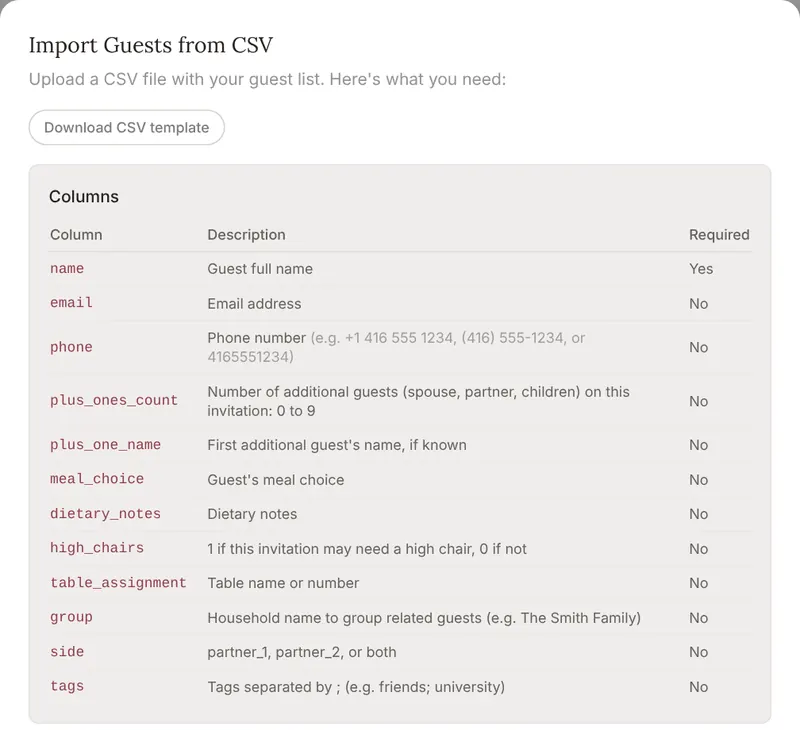
Export your guest list from your current platform as a spreadsheet, if it offers an export, and import it as a CSV file. Our template lists the columns: name, email, phone, plus-ones, meal, household, tags and more.
Set up events and RSVPs
Add your events, meal options and RSVP questions. Separate RSVPs per event are on every plan.
Preview before you share
Open your website and RSVP form as a guest would, and check your guest list before anything goes out.
Share your website
Send your link by email, text message or QR code. Guests never need an account or an app.
We checked each company’s own website and help centre on November 7, 2026. We did not use reviews, forums or other comparison sites as sources.
This comparison is published by MapleVow, so we have a commercial interest in the result. We have aimed to represent each platform fairly and recognize its strengths.
Each competitor cell says only what that company’s own pages said when we checked.
“Not confirmed” means we could not find it on their public pages. It does not mean the feature does not exist, so ask them before you decide.
We make no claims about other companies’ privacy, security or legal compliance. Read their own policies for that.
MapleVow’s details come from our live plans, so plan names and prices here update when our plans change.
Features and prices change. If something here is out of date, tell us and we will fix it.
What the labels mean
Offered:
Offered
Offered with limits, fees or a paid plan:
Offered with limits, fees or a paid plan
Not confirmed on their public pages:
Not confirmed on their public pages
It is a strong fit for weddings in Canada. Like Joy, MapleVow gives you a wedding website, online RSVPs and a registry. It adds guest pages, RSVPs and emails ready in English, Canadian French and Simplified Chinese, Interac e-Transfer details for cash gifts, CAD pricing and hosting in Canada. Joy’s website is free, so compare what each costs for your guest count.
Is Zola suitable for Canadian weddings?
Zola’s website, guest list and RSVP tools can work for a wedding anywhere. Check the registry first: Zola ships the products it sells only within the US, cash fund transfers need a US checking account, and cash gifts paid by credit card generally have a 2.5% fee. MapleVow links registries at any store, including Canadian ones, and shows Interac e-Transfer details for cash gifts.
Is MapleVow really free to start?
Yes. The free Promise plan includes RSVPs for up to 100 guests, a wedding website, a budget tracker, a seating chart, a timeline and CSV import and export, with no credit card required. Larger weddings and extras use a one-time paid plan, from $29 in CAD.
Does MapleVow support French and Chinese?
Yes. Turn on English, French and Simplified Chinese for your wedding. Guests see the RSVP form, buttons and emails in their language and can switch at any time. You write your own story and details in each language you use.
Can I import guests from another platform?
Yes, as a CSV file. Export your guest list from your current platform as a spreadsheet, if it offers an export, then import it on the MapleVow Guests page. Download our template first to match the columns. RSVP answers and website content are not copied over automatically.
Can I have RSVPs for multiple wedding events?
Yes, on every plan. Each event, such as a welcome dinner, ceremony or reception, has its own guests, replies and meal options, and guests only see the events they are invited to.
Can I collect meal choices and plus-one details?
Yes. The RSVP form collects attendance, meal choices, dietary notes and plus-ones, and you can add your own questions. Every answer appears on your guest list.
Are paid MapleVow plans subscriptions?
Not for couples. Couple plans are a one-time payment per wedding in CAD, with no subscription; optional add-ons are charged separately. Plans for professional wedding planners are monthly.
Where does MapleVow store guest information?
On servers in Canada, with privacy practices designed with PIPEDA in mind. Our privacy policy explains how data is handled and kept, and you can export your guest list or delete your account and data from your settings.
Can guests RSVP without creating an account?
Yes. Guests open your link or scan your QR code and reply with their name and email or mobile number. They never need an account or an app.
Can I use my own wedding website domain?
Every wedding gets a free MapleVow web address. A personalised link is on Celebration and Evermore, a name.maplevow.ca address on Evermore, and connecting a domain you already own on Evermore.
Which wedding website works best for Canadian couples?
It depends on what matters most. For a big US registry store or vendor marketplace, Zola or The Knot may fit. For RSVPs across many kinds of events, RSVPify is flexible. If your guests read French or Chinese and you want CAD prices, Interac e-Transfer gift details and data hosted in Canada, MapleVow was built for exactly that. Try it free and compare.
Your wedding, beautifully organized
Less Time Managing Details. More Time Enjoying Your Wedding.
Build your website, set up your RSVPs and start planning. Start free and see your RSVP page in English, French and Chinese in a few minutes. No credit card required.